Deals

Grab these limited-time discounts while stock lasts.

1 Top Pick
-50% iRobot Roomba 505X Combo Vacuum & Mop with 75-Day Self-Emptying Dock

iRobot Roomba 505X Combo Vacuum & Mop with 75-Day Self-Emptying Dock

★★★★☆ 8.8
● In Stock ◷ Updated July 24, 2026
✓ 75-day self-emptying dock✓ 70x stronger suction than Roomba 600✓ AI obstacle recognition and avoidance
$ 999.99Save 50%
$ 499.99 Check on Amazon
Expand details

Detailed Review

The Roomba 505X arrives as a complete system with both the robot and its substantial multifunction dock, making setup straightforward if you have the space. The dock is roughly the footprint of a small appliance, so you'll need a dedicated spot in your home, ideally near an outlet and away from high-traffic areas. The robot itself has a modern, compact design that won't look out of place in most homes, and the DualClean mop pads sit flat when not in use, keeping the overall profile unobtrusive.

In daily use, the combo approach handles real-world scenarios reasonably well. The robot moves from hard floors to carpets without requiring manual intervention, automatically lifting its mop pads over rugs, which eliminates the need to babysit cleaning sessions across mixed flooring. The 70x suction increase over older 600-series models, combined with dual mop pads that reach 18 percent more floor area via PerfectEdge technology, means corners and baseboards get noticeably better coverage than traditional rectangular mops. SmartScrub's extra pressure for stubborn, dried-on messes addresses a genuine pain point in kitchens and entryways, though the system relies on its sensors to identify where this extra work is needed. The PrecisionVision AI does meaningfully reduce false starts and collisions by recognizing cords, socks, and pet waste, which is a genuine convenience for homes with clutter or multiple pets.

Compared to buying a robot vacuum and mop separately, the 505X consolidates maintenance into one dock, though that dock is non-trivial to accommodate. The AutoWash Dock's ability to stretch mop pad cleaning to roughly four weeks of hands-free operation is the system's strongest differentiator; most owners won't think about mop maintenance once it's configured. The 75-day debris bag means garbage duty happens roughly every two and a half months for average households. LiDAR mapping and voice assistant support give you granular control through the Roomba app if you want to target specific rooms or adjust suction in high-traffic zones, but you need the app (or voice commands) to access those options. Without it, the robot cleans on a default routine, which is functional but less tailored.

This robot suits busy households managing multiple floor types and moderate to heavy messes from pets or kids. Pet owners particularly benefit from the stronger suction and the dock's dust containment, which traps allergens in a sealed bag. It's less ideal if you live in a compact apartment with limited corner space for the dock, prefer fully hands-off setup without an app, or need extreme edge-to-edge cleaning in very tight corners; while PerfectEdge helps, it won't match a traditional mop in truly tight nooks. For families willing to adopt an app and carve out dock space, the system delivers genuine convenience and reliably fresh floors without daily effort.

Dock Setup and Maintenance

Before activating the 505X, designate a permanent spot for the AutoWash Dock on a level, hard floor surface close to an electrical outlet. The dock needs clearance in front of the robot's path and enough space around it for the robot to approach and dock reliably. Avoid placing it in high-traffic areas where people or pets might trip over the dock or the robot's charging cables. The deck should also be easily accessible so you can insert the debris bag and periodically run the self-cleaning cycle to reduce residue buildup, which is especially important in allergy-sensitive homes.

The self-emptying feature requires you to insert a disposable debris bag into the dock roughly every 75 days, depending on your home's mess load. Check the app periodically to see debris capacity warnings so you're not surprised. The dock's self-cleaning cycle should be initiated monthly or as recommended to prevent bacterial growth or odor inside the reservoir. You'll also need to refill the water tank if you use hot-water mopping; the dock heats water between cleaning sessions and evaporates it during the dry cycle, so it won't dry mop pads if the tank is empty.

Mop pads themselves don't require removal between cleaning cycles since the dock handles washing and drying automatically. However, inspect them occasionally for tangled hair or debris that might reduce effectiveness. The multi-surface rubber brush and edge-sweeping brush should be checked monthly and freed of wrapped hair or strings. These basic maintenance tasks prevent the dock from working harder than necessary and keep cleaning results consistent over time.

2 Also Great
-47% Shark Matrix Plus 2-in-1 Robot Vacuum & Mop with 45-Day Self-Empty Base

Shark Matrix Plus 2-in-1 Robot Vacuum & Mop with 45-Day Self-Empty Base

★★★★☆ 8.0
● In Stock ◷ Updated July 24, 2026
✓ 45-day self-emptying capacity✓ Grid-pattern multi-pass cleaning✓ Sonic mopping and vacuuming simultaneously
$ 749.99Save 47%
$ 399.91 Check on Amazon
Expand details

Detailed Review

The Shark Matrix Plus arrives fully assembled in its self-empty base, making setup straightforward for most users. The robot itself feels solid, and the bagless HEPA base unit is compact enough to fit into a standard closet or corner without taking up excessive floor space. The microfiber mopping pads arrive ready to attach, and the SharkClean app connects relatively intuitively for scheduling and room-specific cleaning. The included cleaning solution bottles and filter give you everything to start immediately.

During real-world use, the Matrix Clean technology does seem to make a meaningful difference in how thoroughly the robot covers an area. Rather than following a single path, it uses a grid pattern with multiple passes over the same spots, which should help with both carpet and hard floor debris pickup. The sonic mopping operates at 100 vibrations per minute on hard surfaces, and the self-cleaning brushroll design reduces hair tangles significantly. The 45-day debris capacity in the base means you can genuinely go weeks without any manual maintenance, and the Recharge and Resume feature handles multi-room jobs smoothly. LiDAR navigation maps your home accurately, so the robot avoids obstacles and doesn't waste time getting lost.

Compared to single-function vacuums in this price range, the dual mopping function adds genuine value for homes with varied flooring, though the mopping only occurs on hard floors rather than carpets. The self-emptying base is the real convenience win here, cutting maintenance burden significantly compared to models requiring manual dustbin emptying. The app integration offers useful scheduling and room-selection options, though the mopping itself is limited to the cleaning solution provided and doesn't offer the scrubbing intensity of a dedicated floor cleaner. For households mixing carpet and tile or hardwood, this covers both needs in one purchase.

This robot is best suited for pet owners with multi-surface homes who want hands-off cleaning and don't mind light mopping on hard floors. If you live in an all-carpet home or need aggressive stain removal on tile, a traditional vacuum or mop might serve you better. For moderately sized homes with pets, multiple floor types, and a realistic monthly cleaning schedule, the Matrix Plus delivers practical automation with notably fewer maintenance checkpoints than standard models.

Managing Mopping Pads and Cleaning Solution

The two included microfiber mopping pads are reusable but do require attention. After each mopping session, rinse the pads under running water and allow them to dry completely before the next use or storage. If pads dry on the robot, dried cleaning solution can reduce their mopping effectiveness. The SharkClean app allows you to select Matrix Mop mode for heavier stain zones, which increases the number of passes and mopping density, so reserve this setting for targeted problem areas rather than routine weekly cleans.

The included 12-ounce starter cleaning solution is formulated specifically for the sonic mopping system. Using the recommended solution helps maintain the pads' effectiveness and prevents buildup that can occur with generic floor cleaners. Since the pads are reusable and the solution is an ongoing purchase, factor that into long-term costs when comparing this to models with disposable pads or those that use only water.

3 Also Great
-47% Roborock Qrevo CurvX: AI Robot Vacuum & Mop with Adaptive Chassis

Roborock Qrevo CurvX: AI Robot Vacuum & Mop with Adaptive Chassis

★★★★☆ 8.0
● In Stock ◷ Updated July 24, 2026
✓ Hot water mop cleaning system✓ Ultra-slim design reaches furniture✓ Adaptive liftable chassis technology
$ 1,499.99Save 47%
$ 799.99 Check on Amazon
Expand details

Detailed Review

Out of the box, the Qrevo CurvX stands out physically. At 3.14 inches tall, it's noticeably flatter than most robot vacuums, and the rounded dock with its thermal features feels refined compared to typical white plastic bases. The included app walks you through setup, though the number of customization options means first-time users will spend time exploring SmartPlan 2.0 and navigating the different mopping and vacuuming modes available. Build quality appears solid, with the retractable LiDAR system and individually adjustable chassis sections suggesting thoughtful engineering.

In actual use, the 22,000Pa suction handles everyday debris effectively, and the zero-tangling design is meaningful if you have long hair or own pets. The AdaptiLift chassis makes a real difference when navigating thresholds and furniture legs, extending or adjusting its lift automatically based on terrain rather than defaulting to one height. Where this unit truly differentiates itself is the mop system: the auto hot water washing at 80°C and the warm air drying cycle actually clean the pads between passes, which matters if you're hoping to avoid mop odors and bacteria buildup. The AI obstacle detection with the RGB camera handles pet recognition, so the robot can avoid your cat without you pre-clearing the floor. Over weeks of operation, these features translate to hands-off cleaning with minimal intervention.

Compared to standard robot vacuums in this price range, the Qrevo CurvX stacks in features, particularly for households dealing with carpet and hard floors simultaneously. The Dock 3.0 Thermo+ handles auto dust emptying, tank refilling, and self-cleaning, meaning maintenance feels genuinely automated rather than surface-level. That said, the learning curve around the app and all available modes is steeper than simpler models, and the 2.4GHz WiFi limit may be a concern for users with congested networks. Models from other brands at similar price points may offer slightly simpler operation, though few match the combination of hot water mopping and adaptive chassis technology.

This unit deserves consideration if you want a single solution for vacuuming and mopping without daily interaction or mop rinsing. It works well for pet owners, multi-surface homes, and users comfortable engaging with smartphone automation. If you prefer minimalist operation or have a small, simple floor plan, simpler vacuums might deliver better value. For those seeking comprehensive home cleaning automation with minimal hands-on work, the Qrevo CurvX delivers what it promises.

Dock Maintenance & Water System Setup

The Dock 3.0 Thermo+ requires access to your home's water supply or manual tank filling, so placement should account for proximity to a water source or outlet. The auto refill feature uses hot and clean water tanks that need periodic attention. Before your first cleaning cycle, verify the dock's drain line is routed safely away from electronics or finished floors, since it handles water discharge from the hot water washing system.

The hot water washing cycle runs at 80°C (176°F), which is effective for dissolving grease and sanitizing the mops, but this also means the dock consumes measurable electricity and water. If you have hard water, mineral buildup inside the dock's heating and tubing system is likely over time, so descaling procedures through the app should be checked monthly. The warm air drying cycle helps prevent mildew, but in very humid climates, storing mop pads separately overnight is still advisable.

WiFi connectivity for this model is limited to 2.4GHz, so if your router is far away or your home has heavy 5GHz-only coverage, connectivity issues may occur. Test the signal strength in your dock's location before fully committing, since water systems and metal components can occasionally interfere with wireless signals. The app's SmartPlan 2.0 feature learns your cleaning patterns over time, so allowing the unit to run a few cycles before customizing schedules leads to smarter recommendations.

4
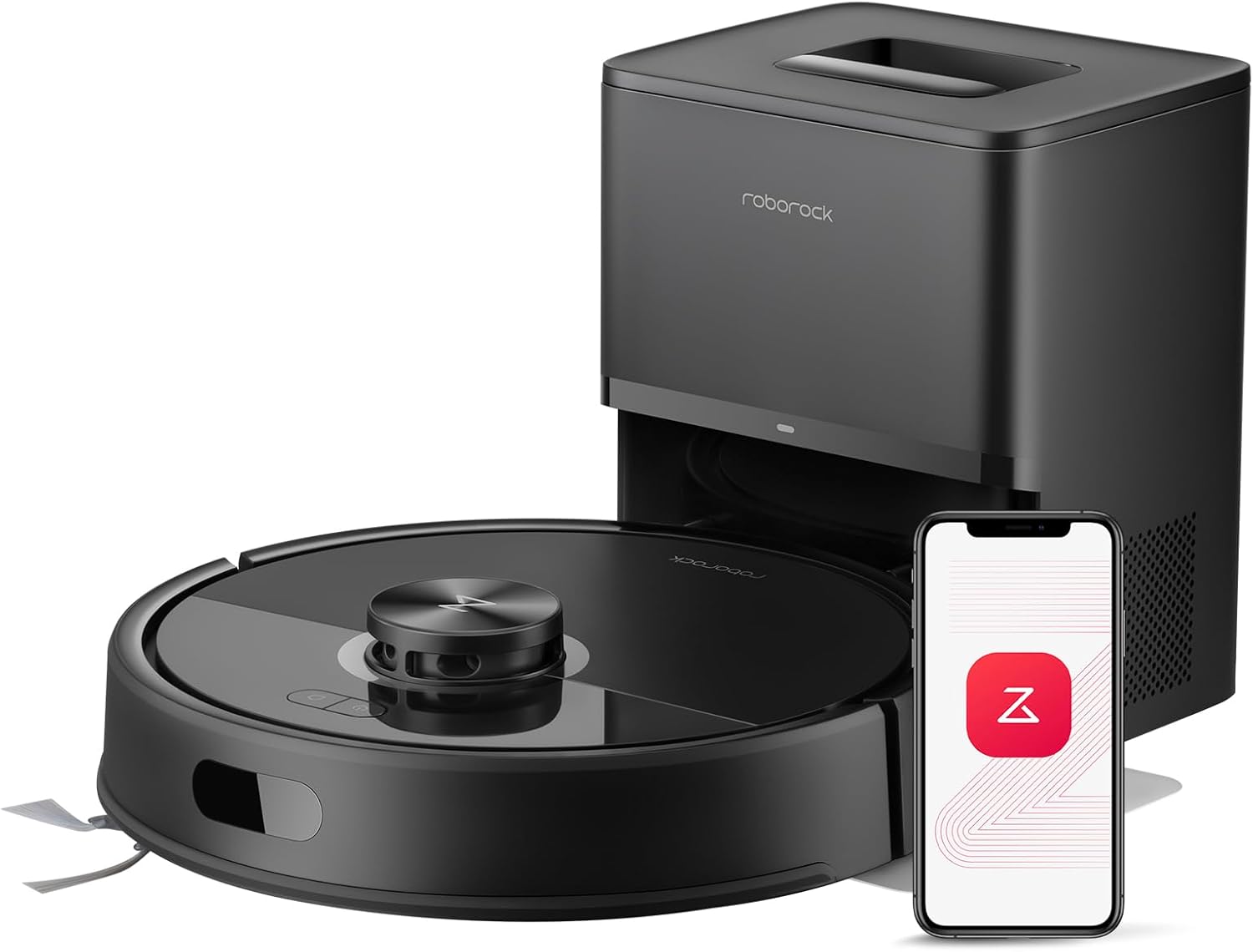
-44% Roborock Qrevo S5V Robot Vacuum and Mop: 12,000Pa Suction with Auto-Dock and Zero-Tangle B...

Roborock Qrevo S5V Robot Vacuum and Mop: 12,000Pa Suction with Auto-Dock and Zero-Tangle B...

★★★★☆ 8.6
● In Stock ◷ Updated July 24, 2026
✓ 12,000Pa suction with SGS-certified zero-tangle system✓ All-in-one dock with auto-empty and warm air drying✓ FlexiArm mopping reaches corners and obstacles
$ 899.99Save 44%
$ 499.99 Check on Amazon
Expand details

Detailed Review

Out of the box, the Qrevo S5V feels purpose-built for serious cleaning. The dock is substantial but integration with the vacuum itself is seamless. The rubberized main brush and arc-shaped side brush initiate confidence, especially if pet hair has been a persistent problem in other vacuums. The extendable mop arm and dual spinning pads add tactile sophistication, suggesting the mopping won't feel like an afterthought but rather a complementary function.

In actual use, the 12,000Pa suction delivers noticeable extraction across both carpet and hard flooring. The zero-tangle system matters most with pets or thick hair; the SGS certification implies this claim has been tested rather than merely marketable. The 10mm mop lift is a practical detail—it prevents over-wetting low-pile rugs and wool blends that cheaper hybrids often struggle with. Water flow customization across 30 levels and the ability to disable mopping in specific rooms means you can adapt the vacuum to hardwood sections, tile kitchens, and rugs without manual intervention between zones. The LiDAR mapping creates logical routes and the reactive obstacle avoidance using structured light sensors handles shoes, cables, and toys without constant intervention.

Compared to lower-priced 2-in-1 vacuums, the all-in-one dock architecture eliminates weekly mop rinsing and manual dust bin emptying for roughly 10 weeks. This convenience justifies the higher price point for anyone genuinely tired of vacuum maintenance. The dual-robot approach (separate vacuum and mop unit from competitors) loses some design elegance but gains reliability—if one component fails, the other still functions. Multi-floor mapping supports up to four levels, which accommodates typical multi-story homes and lets the robot auto-switch between floor plans without user prompting.

This vacuum is most suitable for households where pet hair is common, where at least one person values time savings over hands-on control, and where home size exceeds 2,000 square feet. It performs best in homes with relatively clear floor plans (fewer obstacles) and those who can commit to a WiFi setup and occasional app interaction. If your home has stairs, cluttered corners requiring frequent manual pickup, or you rely on legacy WiFi standards, consider what trade-offs matter most.

Dock Setup and Ongoing Maintenance

The all-in-one dock requires direct water and power connections, so placement during setup matters more than with basic vacuums. Ensure the dock sits on a level surface with clearance on both sides for the mop arm extension and enough floor space for the vacuum to approach from multiple angles. If your home layout forces the dock into a corner, test approach routes before committing to placement.

Ongoing care involves monitoring the 10-week dust storage capacity and refilling the water tank when it runs low. The specification notes auto-refilling for uninterrupted mopping, but you'll need to maintain the dock's water supply proactively. Warm air drying prevents odor buildup on mop pads, which is a genuine advantage in humid climates or homes with extended idle periods.

The app's SmartPlan feature can automatically adjust suction and mopping intensity per room, eliminating trial-and-error once you've mapped your home. If you frequently rearrange furniture or experience WiFi dropouts, the reactive obstacle avoidance compensates well, though the 2.4GHz-only connectivity may require positioning the router or using a signal booster if coverage is weak in distant rooms.

5
-44% Roborock Saros 10R Robot Vacuum & Mop: Ultra-Slim Self-Emptying with Hot Drying

Roborock Saros 10R Robot Vacuum & Mop: Ultra-Slim Self-Emptying with Hot Drying

★★★★☆ 8.0
● In Stock ◷ Updated July 24, 2026
✓ Fits under low furniture✓ 22,000 Pa suction power✓ 60-day hands-free operation
$ 1,599.99Save 44%
$ 899.99 Check on Amazon
Expand details

Detailed Review

Opening the box reveals a genuinely compact vacuum that actually lives up to its 3.14-inch profile. Unlike traditional robot vacuums with a raised LiDAR dome, the Saros 10R uses its StarSight 3D sensing embedded into the body itself, making it the slimmest design without external sensors. This design choice means it can slide under bed frames, sofas, and low storage units that would stop most competitors flat. The build feels solid, and the matte black finish resists fingerprints reasonably well.

In practice, the 22,000 Pa suction performs noticeably on both hard floors and light carpets, pulling pet hair and dust effectively without the constant jam issues that plague older brush designs. The zero-tangling DuoDivide main brush and FlexiArm Riser side brush actually work as advertised because the main brush doesn't create a single spiral that catches hair; instead, it uses a divided design that breaks tangles at the source. The FlexiArm technology automatically extends when it detects corners, reaching into areas that rigid side brushes miss. On the mopping side, the dock heats water to 176 degrees and includes an auto-detergent dispenser, so you don't need to manually refill either. The 60-day dust collection means you genuinely forget about maintenance for weeks, though the dock itself will need occasional emptying and cleaning of its filters and internal components.

Against other premium robot vacuums, the Saros 10R occupies a specific niche. Models from Dreame or lower-tier Roborocks sacrifice the slim design and advanced obstacle detection to hit lower price points. Higher-end Roborocks add features like object recognition cameras for pickup or larger water tanks, but they're bulkier and cost more. The 10-in-1 dock here balances convenience with practicality: it does mop removal, auto washing, and drying, but it's not trying to be a whole-home hub like some flagship systems. The app allows custom schedules and map management, and the Hello Rocky voice assistant works without internet, though it lacks the breadth of commands you'd find in full smart home integration. The 2.4GHz Wi-Fi only limitation means it won't integrate well with newer mesh networks running exclusively on 5GHz, a real consideration for future-proofing.

This vacuum makes the most sense for apartment dwellers, homes with low-slung furniture, and pet owners who want reliable hands-off operation without emptying bins every week. If you have mostly hard flooring, carpet-free layouts, or a tight budget, you'd find better value elsewhere. For households where the slim profile genuinely opens up cleaning spaces and the long dust-collection intervals deliver real convenience, the premium pricing becomes easier to justify.

Dock Maintenance and Wi-Fi Setup

While the 60-day dust collection eliminates frequent emptying, the dock itself requires attention to keep the hot water system and filters performing well. Plan to clean the dock's internal pathways monthly and wash the water tank components every few months, especially if your tap water is mineral-heavy. The hot air drying temperature of 131 degrees is sufficient to prevent mold growth between cycles, but don't let dirty water sit in the tank for more than a week or two without use.

The Wi-Fi requirement deserves special attention: this unit only connects to 2.4GHz networks, not 5GHz bands. If your home router broadcasts only on 5GHz or you rely on a modern mesh system that separates bands, you'll need to manually enable a separate 2.4GHz network or use a dual-band broadcasting device. This limitation won't affect cleaning performance, but it will prevent you from using remote features like checking the pet camera or scheduling runs while away if your network setup doesn't accommodate older Wi-Fi standards.

6
-40% DEWENWILS Programmable 24-Hour Digital Timer Outlet (2-Pack) for Lamps & Small Appliances

DEWENWILS Programmable 24-Hour Digital Timer Outlet (2-Pack) for Lamps & Small Appliances

★★★★★ 9.0
DEWENWILS ● In Stock ◷ Updated July 24, 2026
✓ Three daily programmable schedules✓ Compact design preserves outlet space✓ Settings retained during power loss
$ 29.99Save 40%
$ 17.99 Check on Amazon
Expand details

Detailed Review

Out of the box, this timer feels lightweight and straightforward. The compact profile means it doesn't crowd the outlet strip or wall socket—a practical design choice that sets it apart from older, bulkier timers. The frosted front and smooth edges give it a modern look that doesn't clash with home decor. The digital display is large enough to read without squinting, and the four-button interface for programming is reasonably intuitive, though you'll want the manual handy the first time you set it up.

In regular use, the timer performs its core job reliably. You can stack three separate daily schedules—say, one for morning lamp activation, another for an evening routine, and a third for an always-off state—without needing multiple units. The silent operation is genuinely useful in bedrooms where clicking or humming would be distracting. The standby power draw appears minimal, which supports the energy-saving claim. If you lose power, the timer remembers your settings for up to three months, so you won't need to reprogram after a brief outage.

Compared to similar programmable outlets, this model strikes a reasonable balance between simplicity and flexibility. It's more capable than bare-bones on-off timers but less complex than WiFi-enabled smart plugs that require app setup and internet connectivity. The two-pack format offers decent value if you want automation in multiple rooms, though each unit controls only one device at a time. The 15-amp, 1000-watt limit is standard for this category but rules out high-draw appliances like space heaters or large air conditioners.

This timer works best for anyone automating seasonal decorations, plant lights, fans, or aquarium equipment—anything in the 1000-watt range that benefits from consistent daily schedules. It's less suited for tech-forward users who prefer smartphone control or for households needing to operate multiple high-power devices simultaneously from a single timer.

Programming and Troubleshooting Basics

Start programming by selecting which of the three daily schedules you want to edit using the mode button, then use the up and down arrows to set the on time, off time, and repeat frequency. Once set, the schedule repeats automatically every 24 hours. If you make a mistake midway through, simply return to that schedule slot and overwrite it—there's no confirmation step, so double-check before finalizing.

If the display goes blank or stops responding after a power outage, unplug the timer for 30 seconds, then reconnect it. Your programmed schedules should reappear automatically. If the timer isn't turning your device on or off at the expected time, verify the outlet clock matches your actual local time—the clock can drift slightly and may need manual adjustment every few weeks, particularly if power interruptions are frequent.

7
-40% eufy E25 Robot Vacuum and Mop Combo with HydroJet Self-Clean Roller, 20,000 Pa Suction

eufy E25 Robot Vacuum and Mop Combo with HydroJet Self-Clean Roller, 20,000 Pa Suction

★★★★☆ 8.8
● In Stock ◷ Updated July 24, 2026
✓ Self-cleaning mop system✓ Hands-free all-in-one station✓ Strong suction for pet hair
$ 999.99Save 40%
$ 599.99 Check on Amazon
Expand details

Detailed Review

Setup takes about five minutes with no drilling required, and the unit feels well-designed for someone who values convenience. The all-in-one station sits prominently but not obtrusively, and connecting to the eufy app and voice assistants works smoothly. The build quality suggests this is built to handle daily use without feeling fragile or overly plastic.

In practice, the 20,000 Pa suction handles embedded pet hair and debris effectively, which matters if you have shedding animals. The HydroJet mop system refreshes the roller twice per second with clean water, meaning each pass should theoretically avoid spreading dirty water across floors like some single-tank systems do. The anti-tangle spiral brushes reduce hair wrapping, so you spend less time manually cleaning the brush head between runs. The 125-minute runtime covers most homes in one session, and the laser navigation remembers up to five floor plans, making it practical for multi-level houses.

Compared to vacuum-only robots or basic mop-only models, the combo approach saves money and time for households that want both functions. The all-in-one station eliminates the manual dumping, water swapping, and mop wringing that plague cheaper combos. However, this convenience comes with ongoing costs: the 3L dust bag needs replacement every 75 days or so, and water must be refilled regularly. The 2.4GHz WiFi connectivity is functional but lacks the reliability that 5GHz offers in homes with multiple devices.

This product is best suited for pet owners or households with large floor plans who prioritize hands-free maintenance and don't mind the consumable expenses. If you live in a small apartment or rarely use mopping, the all-in-one station overhead may not justify the cost. For families juggling busy schedules and looking to reduce weekly cleaning chores, the combination of strong suction, self-cleaning mop, and automated station represents a meaningful step up from entry-level combos.

Water and Consumables Management

The self-cleaning and auto-refill features only work when the robot returns to the station, so water and dust bag depletion are the key maintenance loops to track. The 3L dust bag lasts roughly 75 days under typical use, but pet hair or high-traffic homes may deplete it faster. Plan to order replacement bags before you run out, since an overfull bag reduces suction effectiveness.

Water management requires regular attention too. The station's hot-air drying at 50°C prolongs mop freshness between runs, but the system still depends on you keeping the water tank topped up. If you skip a refill, the next scheduled clean will run without mopping. For optimal performance and to avoid odors, aim to empty and refill the water roughly weekly, even if it's not completely depleted.

8
-38% Roborock Qrevo QV 35A Robot Vacuum and Mop with All-in-One Dock

Roborock Qrevo QV 35A Robot Vacuum and Mop with All-in-One Dock

★★★★☆ 8.4
● In Stock ◷ Updated July 24, 2026
✓ Anti-tangle brush system certified✓ All-in-one dock handles everything✓ 8000Pa powerful suction
$ 649.99Save 38%
$ 399.98 Check on Amazon
Expand details

Detailed Review

Setting up the Qrevo QV 35A involves positioning the dock and configuring its WiFi connection, which requires a 2.4 GHz network. The dock itself is impressively large, housing the dust collection system, water tanks, and mop-washing mechanism all in one unit. The vacuum has a modern, compact design that fits under most furniture, and the bundled app walks you through basics like floor mapping and no-go zone creation. Build quality feels solid throughout, from the brushes to the dock connections.

In daily operation, the 8000Pa suction pulls embedded pet hair and debris reliably from both carpets and hard floors. The asymmetrical side brush design and full-rubber spiral main brush genuinely reduce hair tangles, which matters significantly if you have shedding pets or long hair in the home. When mopping, the dual 200 RPM pads scrub with visible pressure, and the 10mm lift prevents water damage when transitioning to low-pile carpet; the 30 water level settings let you dial in intensity for delicate hardwoods or tile. The dock handles the tedious parts between runs: it empties the vacuum automatically into a 2.7L sealed bag lasting 7-9 weeks, washes and spins the mop pads dry, and tops up the 4L water tank. The 4L capacity covers roughly 3552 square feet, manageable for most homes before refilling.

Compared to competing all-in-one systems, the Qrevo stands out for its comprehensive dock functionality and pet-focused brush engineering. The PreciSense LiDAR navigation creates efficient cleaning paths and remembers layouts for up to 4 floors, reducing the need for manual intervention across multi-level homes. The app integration is straightforward, offering scheduling, custom routes, and third-party voice assistant support. Where it falls short is the dependence on official Roborock cleaning solution—refills become an ongoing cost—and the mandatory 2.4 GHz WiFi connection, which may frustrate households with primarily 5 GHz networks or dual-band setups that don't toggle the older standard easily.

This model suits homeowners who prioritize convenience and pet hair management over minimal upkeep costs, and whose homes are served by accessible 2.4 GHz WiFi. If you're tired of manually emptying robot vacuums, washing mop pads by hand, and battling hair clogs, the all-in-one dock makes the ownership experience less burdensome. However, if you need bleeding-edge obstacle avoidance for extremely cluttered spaces, or operate purely on 5 GHz networks, you may find more tailored alternatives elsewhere.

Setup, WiFi, and Dock Maintenance

Before unpacking, confirm your WiFi router can broadcast 2.4 GHz—dual-band routers often default to 5 GHz for newer devices, so check your router settings to enable or prioritize the 2.4 GHz band. The vacuum will not connect on 5 GHz. Power it from a standard 100V-120V outlet near the dock. Once connected and the LiDAR map completes, the vacuum learns your home layout and can handle multi-floor transitions smoothly if your router has consistent 2.4 GHz coverage throughout.

The dock's sealed dust bag lasts 7-9 weeks, making it genuinely low-touch compared to constant manual emptying, but you must clean the dirty water tank regularly to prevent odors and mold—this is not optional despite the dock's convenience. When water capacity runs low, refill the 4L clean water tank; the dock tracks this and signals when empty. Always use the official Roborock cleaning solution to avoid clogging the dock's mop-washing jets or damaging internal seals, as third-party solutions may void support and cause mechanical issues.

For best results, keep the dock's suction port and mop pads accessible; close proximity to the dock ensures reliable docking after cleaning cycles. If you notice the mop pads still feel damp after a cycle, or the dock's jets seem blocked, run the dock's cleaning cycle manually via the app to flush the system.

9
-38% eufy C28 Robot Vacuum & Mop Combo with 75-Day Self-Cleaning Station & Pet Hair Technology

eufy C28 Robot Vacuum & Mop Combo with 75-Day Self-Cleaning Station & Pet Hair Technology

★★★★☆ 8.6
● In Stock ◷ Updated July 24, 2026
✓ Self-cleaning HydroJet mop with 270 RPM spin✓ Zero-tangle design for pet hair up to 30cm✓ 75-day autonomous maintenance cycle
$ 799.99Save 38%
$ 499.99 Check on Amazon
Expand details

Detailed Review

The C28 arrives with a substantial docking station that immediately sets expectations for a premium, hands-off experience. The all-in-one base integrates dust storage (3L capacity), mop washing, hot-air drying at 50°C, and wastewater collection into a single footprint. Assembly is straightforward, though the station's size means you need dedicated floor space near an outlet, not tucked into a corner. The robot itself feels compact and purposeful, with the dual-brush setup and mop roller system visible from the bottom.

In real homes, the combination of features targets a specific problem: pet owners tired of manually rinsing mop heads and unclogging vacuums. The 28cm HydroJet roller spins 9 times per second with 24 water ports, designed to continuously self-clean during mopping sessions. The DuoSpiral brush promises to handle long hair without tangling, though the testing data provided covers synthetic hair mixes and Golden Retriever samples on hard floors and Wilton carpets, not every flooring type. The 15,000 Pa suction kicks into gear on carpets automatically, and at 54.89dB operation, it runs quieter than many older models. The LiDAR navigation avoids obstacles without recording video, a privacy advantage worth noting.

Compared to basic robot vacuums or separate mop-only units, the C28 consolidates two cleaning tasks into a single device, reducing daily decision-making and maintaining a mop head that doesn't degrade between uses. Its 75-day maintenance cycle is the real differentiator: if the station's hot-air drying and drainage work as designed, you're not dumping dirty water daily or hand-washing mop pads. The no-camera navigation appeals to privacy-conscious buyers, and the auto-mop lift on short carpets prevents soaking delicate fibers. For those with budget room, it trades upfront cost for genuine time savings and a cleaner mop lifecycle than traditional methods.

This robot is most valuable for multi-pet households where hair and odor management matter, and where you have the floor space and budget for the full station. If you live in a small apartment, have irregular mopping needs, or expect a robot vacuum that doubles as a mop without infrastructure, a simpler vacuum-only model may suit you better. For anyone seeking a setup that genuinely reduces weekly maintenance burden, the C28 delivers a realistic path toward that goal.

Setting Up the Docking Station for Long-Term Success

The 75-day maintenance promise hinges on proper station placement and setup. Position the base on a flat, level floor with at least 1.5 feet of clearance in front and to the sides, away from direct sunlight and high-humidity areas like bathrooms. The station handles wastewater collection, but you'll still need to empty the internal wastewater tank periodically depending on your home's humidity and mopping frequency. Hot-air drying at 50°C works best when the room maintains moderate humidity; in very humid climates, mold risk increases between cycles, so consider running a dehumidifier nearby if you notice dampness.

The 3L dust bag inside the station fills gradually based on your floor size and carpet coverage. Denser homes with more carpet will hit the 75-day window sooner than hard-floor-heavy layouts. Check the bag level monthly using the app or manual inspection to avoid overfilling, which reduces vacuum efficiency. Mop water quality matters: use distilled or filtered water in the station's refill tank if your tap water is mineral-heavy, as deposits inside the 24 water ports can clog over time. A simple descaling cycle with white vinegar once monthly keeps the HydroJet roller ports functioning smoothly.

Align the robot's dock positioning with your home's layout so the return route doesn't cross high-traffic areas or stairs. LiDAR mapping during the first run will create your home's digital layout; restrict zones in the app where you don't want mopping (pet beds, rugs, wired areas). Once mapped, the robot handles scheduling autonomously, but manual interventions using the app let you adapt to spills or specific room priorities, keeping the system flexible rather than rigidly automated.

10
-35% iRobot Roomba 105 Combo Robot Vacuum & Mop with 75-Day AutoEmpty Dock

iRobot Roomba 105 Combo Robot Vacuum & Mop with 75-Day AutoEmpty Dock

★★★★☆ 8.8
● In Stock ◷ Updated July 24, 2026
✓ 75-day hands-free debris collection✓ Automatic carpet avoidance while mopping✓ 70X suction power and 4-stage cleaning system
$ 469.99Save 35%
$ 305.99 Check on Amazon
Expand details

Detailed Review

The Roomba 105 Combo arrives as a complete package with the robot, dock, and one extra mop pad already included. The dock itself is fairly substantial, designed to store 75 days worth of vacuumed debris in disposable bags that allegedly trap 99 percent of allergens down to 0.7 microns. Setup focuses on the 2.4 GHz network requirement, which means your WiFi network needs to support that frequency, though the documentation confirms your phone can jump to 5 GHz after pairing.

In daily use, the 70X suction increase over Roomba 600 series robots and the multi-surface brush combination target dirt pickup across different floor types. The edge-sweeping brush claims 20 percent better corner and edge cleaning, while the microfiber mop pad handles spill cleanup. The standout feature here is the automatic carpet detection that prevents the robot from mopping rugs unprompted, eliminating the need for manual zone setup before each clean. The SmartScrub mode provides 2X deeper scrubbing on high-traffic areas for tougher spots, controlled through the Roomba Home app or the robot's own buttons.

Compared to traditional stick vacuums and mops that require your hands-on effort, this robot reduces physical labor and maintains cleaning consistency on a schedule you define. The combo function means you can set it to vacuum only, mop only, or run both operations together depending on your floor's needs and how soiled it is. The LiDAR mapping system works to prevent falls down stairs and navigate around obstacles, though the effectiveness of that mapping depends on the layout of your specific home. Long-term convenience sits centered on the dock doing the heavy lifting of dust disposal rather than you opening a vacuum canister.

This robot makes the most sense for households with mostly hard flooring and area rugs they want kept dry, along with people who prefer automated scheduling over manual weekly cleaning sessions. The 75-day debris capacity and mop combo address two separate pain points at once. If your home is primarily carpeted or you live in a small apartment where daily manual sweeping is already quick, the complexity and expense may not justify itself.

Managing the AutoEmpty Dock and Consumables

The dock holds disposable bags that you replace roughly every 75 days under average use, though homes with pets or high foot traffic may need earlier changes. Inasmuch, your real ongoing cost involves buying replacement bags and replacement mop pads separately. The product includes one extra mop pad at purchase, giving you a backup to rotate while washing the used one, but you will need to budget for additional pads beyond that initial pair.

The dock requires a power outlet and enough floor space nearby, with the robot needing clear access on at least two sides for docking and undocking. If your home layout forces the dock into a corner or tight space, the robot may struggle to align properly. Ensuring the 2.4 GHz WiFi signal reaches the dock and the robot's cleaning zones improves reliability during autonomous operation.

11
-31% Roborock Q7 M5+ Robot Vacuum and Mop with Auto-Empty Dock, 10000Pa Suction

Roborock Q7 M5+ Robot Vacuum and Mop with Auto-Empty Dock, 10000Pa Suction

★★★★☆ 8.0
● In Stock ◷ Updated July 24, 2026
✓ Extended 7-9 week self-empty cycles✓ Dual anti-tangle brush system✓ 10000Pa powerful suction
$ 359.99Save 31%
$ 249.98 Check on Amazon
Expand details

Detailed Review

The Roborock Q7 M5+ arrives as a compact unit designed to integrate with the RockDock Plus auto-empty station. The dual-brush design is immediately noticeable, with both the main JawScrapers brush and side brush built to resist tangling from pet hair. The mop tank sits flush beneath the vacuum head, and the overall footprint is practical for homes where dock placement matters. Build quality feels solid, though this is a complex system with multiple moving parts that require occasional attention.

In real-world use, the 10000Pa suction handles debris pickup across hard floors and carpets effectively, while the vacuum-mop combination means you tackle both loose dust and surface grime in a single pass. The three adjustable water flow settings let you tailor dampness to your flooring type, which prevents oversaturation on delicate surfaces. The critical advantage here is the extended cleaning interval; a 2.7L sealed dust bag in the dock genuinely supports 7-9 weeks of hands-off operation for typical households, eliminating weekly manual emptying. The LiDAR navigation system runs efficient cleaning patterns and respects no-go zones you set through the app, reducing unnecessary bumping into furniture.

Compared to traditional robovacs, this model's self-emptying dock significantly reduces active maintenance. The mop function adds versatility that single-purpose vacuums lack, though it won't replace manual mopping on heavily soiled areas. App control is straightforward, offering scheduled runs and real-time monitoring. The 4.00 rating across 18,510 reviews suggests reliable performance for most users, though the specific need for 2.4GHz Wi-Fi may limit connectivity in networks using only 5GHz bands.

This unit fits best for pet owners in multi-room homes who value hands-off operation and don't mind occasional dust bag refills. It's ideal if you want both vacuuming and light mopping without juggling two machines. If your home relies on 5GHz Wi-Fi only or if you prefer completely hands-free ownership with no consumables, other models may serve you better.

Wi-Fi Setup and Dust Bag Planning

The app-dependent features require a 2.4GHz Wi-Fi network; if your router broadcasts only 5GHz, you'll need to enable dual-band or add a separate 2.4GHz network. Check your router settings before purchasing if smart home control is important to you. Connection stability directly affects scheduled cleaning and real-time monitoring, so a strong Wi-Fi signal near your charging dock reduces command delays.

The 2.7L sealed dust bag is the consumable that drives long-term costs. Seven to nine weeks assumes typical pet shedding in a standard household size; homes with multiple heavy-shedding pets or large floor areas may require bag changes sooner. Set a calendar reminder near the expected interval so you don't miss the notification on the app; having a replacement bag on hand before you need it prevents downtime when the dock signals it's full.

12
-27% BN-LINK Mechanical Outlet Timer 2-Pack, 24-Hour Pin Control for Lamps and Appliances

BN-LINK Mechanical Outlet Timer 2-Pack, 24-Hour Pin Control for Lamps and Appliances

★★★★☆ 8.8
BN-LINK ● In Stock ◷ Updated July 24, 2026
✓ Up to 24 daily on/off settings✓ Simple mechanical pin operation✓ Two timers per pack
$ 12.99Save 27%
$ 9.50 Check on Amazon
Expand details

Detailed Review

These timers arrive with the pins already pressed down, so the first step is pulling them up to begin programming. The mechanical pin design is straightforward: push pins down for time slots when the device should be on, leave them up when it should be off. Each timer wheel represents a full 24-hour period divided into 30-minute intervals, giving you 48 possible on/off combinations per day. The construction feels solid for the price point, and the compact size means it doesn't block adjacent outlets.

In practice, the mechanical system proves reliable for routine tasks. You can program a lamp to turn on at 6 PM and off at 11 PM every night, then adjust it again for weekends or seasons without any other equipment. The 15-amp, 1875-watt capacity handles standard household lamps and small appliances competently, though higher-draw devices like space heaters or power tools fall outside this timer's range. Since there's no battery backup or app connectivity, settings persist only as long as the device remains plugged in to active power, and programming requires manual physical adjustment each time.

Compared to smart plugs, these mechanical timers eliminate the need for Wi-Fi, smartphone apps, or cloud accounts. That simplicity appeals to users who want basic automation without managing digital ecosystems. The tradeoff is less flexibility: you cannot adjust schedules remotely, set random on/off times to simulate occupancy, or integrate with other smart home devices. For straightforward, repetitive schedules in a single location, the mechanical approach works well and costs significantly less than connected alternatives.

This product suits anyone seeking uncomplicated device automation for a specific room or area. It's particularly useful for holiday decorations, plant watering systems, and rotating appliance usage without the setup complexity of smart home platforms. The two-pack format makes sense for households wanting timers in multiple rooms simultaneously, though each operates independently on its own schedule.

Programming Tips for Maximum Reliability

Start by identifying the 30-minute interval blocks that match your actual schedule. If you want a lamp on from 7 AM to 6 PM, count the pins that correspond to those times rather than guessing. Pull up all pins first to fully reset the timer, then deliberately press down only the pins for your desired on-time window. This prevents accidentally leaving pins down from factory settings or previous programming.

Remember that the timer repeats the same schedule every 24 hours once plugged in. If you need different schedules for weekdays and weekends, you'll need a separate timer for each pattern, or manually reprogram your existing timer twice weekly. For devices that draw near the 15-amp limit, test the timer with the device running to ensure the pins don't slip or the mechanism doesn't heat up, which could signal inadequate capacity.

13
-26% GE 24-Hour Mechanical Timer Outlet with Dual Grounded Outlets, Indoor Use

GE 24-Hour Mechanical Timer Outlet with Dual Grounded Outlets, Indoor Use

★★★★★ 9.2
● In Stock ◷ Updated July 24, 2026
✓ No WiFi or apps needed✓ Two simultaneous grounded outlets✓ Simple 30-minute interval scheduling
$ 13.45Save 26%
$ 9.99 Check on Amazon
Expand details

Detailed Review

The timer feels immediately practical when you unbox it. The white finish is inoffensive enough to sit near a TV or lamp without standing out, and the dual outlet design saves you from losing a full receptacle. The rotary dial with pushpins is straightforward—you just press pins at the times you want something to turn on or off—and there's no confusing app to download or WiFi to troubleshoot. The side-access outlet layout actually matters if you're tucking this behind furniture or in a corner, since it lets cords route flat against the wall instead of jutting out awkwardly.

Once plugged in and set up, this timer does what it says: it turns devices on and off precisely at your pushpin intervals, 24 hours a day. The manual override switch on the side gives you a quick way to pause automation when you need manual control—useful if you want to turn something on immediately without waiting for the next scheduled cycle. Because it's mechanical with no connectivity, there's nothing that can disconnect, crash, or require troubleshooting. Owners consistently report that this kind of simplicity is exactly what they want, especially for seasonal use like Christmas lights or consistent daily tasks like turning a lamp on at sunset.

Compared to smart plugs, this timer trades flexibility for simplicity. A smart plug lets you schedule to the minute and control from anywhere on your phone; this one is locked to 30-minute increments and requires you to physically adjust the dial. That makes smart plugs better if you need precision or remote access, but this GE timer is better if you just want something that works without setup friction, subscription services, or WiFi dependency. For people covering the basics—run the lights from 6 PM to 11 PM, turn on a small fan during the day—the mechanical approach is plenty sufficient and honestly preferable.

This timer makes the most sense for households that want straightforward automation with zero tech overhead: holiday decorators who set it once and forget it, people automating multiple lights or fans from one outlet, or anyone who's tired of managing smart devices and connectivity issues. It's not a feature-rich gadget, but it's exactly what it promises: dependable, simple, and built to last without complication.

Scheduling Multiple Devices Effectively

The dual outlet design lets you automate two devices on the same schedule, which is useful if you want lights and a fan running on identical timing. However, both outlets are wired together, so they turn on and off as one unit—you cannot set different schedules for the left outlet versus the right one. If you need two separate schedules from a single wall receptacle, you would need two timers instead.

For households running multiple devices, plan your pushpin layout with the full 24-hour dial in view before pressing pins. The 30-minute intervals are fixed, so a schedule like 6:15 PM to 10:45 PM is not possible; you'd need to round to 6:00 PM to 10:30 PM or 6:30 PM to 11:00 PM. Write down your intended schedule on paper first to avoid reprogram mistakes, since moving pins requires popping them back out and repositioning them on the dial.

14
-25% GE 24-Hour Mechanical Outlet Timer for Indoor Lighting and Holiday Decor

GE 24-Hour Mechanical Outlet Timer for Indoor Lighting and Holiday Decor

★★★★★ 9.0
● In Stock ◷ Updated July 24, 2026
✓ Simple pushpin scheduling, no apps✓ Reliable mechanical operation✓ Compact side-outlet design
$ 7.99Save 25%
$ 5.98 Check on Amazon
Expand details

Detailed Review

Out of the box, this timer feels appropriately basic and intentional. The white finish is unobtrusive, and the compact footprint means it doesn't monopolize your outlet space the way some plug-in devices do. The side-access outlet keeps connected cords running flush against the wall, which matters if you're tucking it behind a nightstand or dresser. The manual dial is clearly marked with 24-hour intervals, and the pushpin system for setting on/off times is straightforward—no batteries, no app pairing, just physical pins you set into the dial at 30-minute marks.

In real-world use, a mechanical timer does exactly what you'd expect: it turns on and off on schedule, repeatedly and without fail. This reliability is its main appeal for routine tasks like turning on a lamp at dusk or cycling a small fan during the day. The built-in override switch lets you manually bypass the schedule when needed without resetting your program, which is genuinely practical for those moments when you want to deviate from your routine. The 30-minute interval granularity is coarse enough that precise timing isn't possible, but for most indoor lighting and seasonal décor applications, this isn't a problem. The durable construction suggests this isn't a throwaway device—mechanical timers have no moving parts to repair or wireless components to fail.

Compared to smart plugs or Wi-Fi-enabled timers, this mechanical alternative trades flexibility for simplicity and independence. You sacrifice the ability to adjust schedules from your phone, but you gain a device that requires no app, no internet connection, and no account management. For people who simply want their holiday lights to come on at the same time every evening through December, or for renters who can't install permanent lighting fixtures, a mechanical timer delivers exactly the right amount of control. The constraint of a single polarized outlet means you're limited to one device per timer, so apartment dwellers or those with minimal spare outlets may find this limiting.

This timer makes the most sense for users who prioritize simplicity over sophistication. If you're planning seasonal decor that runs the same daily schedule for weeks, or if you want to automate a lamp for energy savings without fussing with technology, this is a logical choice. It's equally suitable for people who specifically avoid smart-home systems or who live in areas with unreliable internet. However, if you need simultaneous control of multiple devices or precise minute-level scheduling, you'll need multiple timers or a different product altogether.

Setting Up Your Schedule Without Mistakes

The 30-minute interval pins are the core of this timer, so understanding how to use them matters. Each pin slot represents a 30-minute block across the 24-hour dial. Pushing a pin inward activates that time slot; leaving it out keeps the device off. The key is visualizing your full day: if you want your lamp on from 6 PM to 11 PM, you'll need to push in pins for twelve consecutive slots (6 PM through 10:30 PM). This isn't difficult, but it does require thinking in 30-minute chunks rather than exact times.

Placement is equally important to scheduling. Because this is a plug-in device, it occupies a wall outlet that might otherwise serve another purpose. The side-access outlet helps—it directs the connected device's cord parallel to the wall rather than jutting outward—but you'll still want to position the timer somewhere that doesn't interfere with other plugged-in devices or create a crowded outlet cluster. Avoid outlets near water sources or in high-traffic areas where the device could get bumped or unplugged accidentally.

Starting with a simple one-cycle schedule (one on period and one off period per day) is the easiest way to verify everything works before programming multiple daily cycles. Once you confirm the first cycle operates correctly, you can add additional pin patterns if your use case calls for it. Remember that the manual override switch is your safety valve if something goes wrong or you need to interrupt the schedule—you don't need to remove pins to temporarily disable the timer.

15
-24% Shark Navigator RV2100AE Robot Vacuum with 60-Day Self-Empty Base & SmartPath Navigation

Shark Navigator RV2100AE Robot Vacuum with 60-Day Self-Empty Base & SmartPath Navigation

★★★★☆ 8.0
● In Stock ◷ Updated July 24, 2026
✓ Smart mapping with row-by-row pattern✓ Bagless 60-day self-empty base✓ Strong suction and anti-hair wrap
$ 449.99Save 24%
$ 339.95 Check on Amazon
Expand details

Detailed Review

Out of the box, the Shark Navigator feels substantial and well-designed for a robot vacuum in this price range. The base unit is straightforward to set up, and the inclusion of a side brush means you're ready to start cleaning without additional purchases. The unit's ability to detect and avoid objects is a practical feature that reduces the need to pre-tidy your floors before each run, which makes daily operation less cumbersome than with some competing models.

During operation, the SmartPath Navigation system is the main differentiator. By using liDAR to map your home rather than bouncing randomly, the vacuum cleans in deliberate row-by-row patterns, which the data claims delivers up to 1.5 times more coverage compared to Shark's ION line. The self-cleaning brush roll is engineered to handle pet hair without wrapping, which matters if you have shedding pets at home. After each clean, the robot automatically backs into its base and empties itself, with the bagless system designed to hold two months of dirt and debris before requiring manual emptying. This significantly reduces the frequency of hands-on maintenance compared to traditional auto-empty vacuums that use disposable bags.

Compared to other robot vacuums in this category, the value proposition centers on the three-part combination of smart navigation, powerful suction (claimed to be 50 percent stronger than competitor vacuums), and the convenience of a 60-day self-empty base. Voice control integration and the ability to resume cleaning after recharging add legitimate convenience, particularly for larger homes. The rating of 4.0 stars across over 7,500 reviews suggests consistent satisfaction, though it's worth noting this isn't a perfect score, indicating some users encounter limitations or unmet expectations.

This vacuum is best suited for homeowners with pets, multiple floor types, or those who value automation and want minimal interaction with dust and debris. If you have a smaller apartment or primarily hard floors, this may be overkill. However, if frequent pet hair cleanup or large carpet areas are your main pain points and you're willing to invest in a self-emptying system, the Shark Navigator offers practical advantages that justify its position in the mid-range market.

Preparing Your Home for SmartPath Cleaning

While the Shark Navigator can detect and avoid objects, setting up your home properly enhances the liDAR mapping process. Clear major obstacles from high-traffic routes before the first run so the robot can efficiently map room boundaries and layouts. This doesn't mean a complete tidy, but removing toys, cables, and large items helps the SmartPath algorithm generate cleaner coverage patterns.

During initial mappings, the robot learns your home's layout progressively. Running it multiple times over the first week allows it to refine its understanding of room dimensions and furniture placement, which improves row-by-row coverage over time. The app should show your home's map after the first run, and monitoring this visual representation helps you identify any areas the robot struggled with and adjust room boundaries if needed.

For best results with pet hair, ensure the self-cleaning brush roll isn't blocked before each run. While anti-hair wrap reduces tangles significantly, checking the brush for matted debris weekly prevents performance degradation. Since the base holds 60 days of debris, monitor the bagless bin quarterly even if it hasn't reached capacity, as compressed debris can occasionally affect suction power at the base connection point.

16
-24% BN-LINK 7-Day Digital Timer, Dual Independent Outlets, 15A Programmable

BN-LINK 7-Day Digital Timer, Dual Independent Outlets, 15A Programmable

★★★★☆ 8.2
BN-LINK ● In Stock ◷ Updated July 24, 2026
✓ Independent outlet control✓ Random vacation mode✓ Up to 8 schedules per outlet
$ 20.99Save 24%
$ 15.97 Check on Amazon
Expand details

Detailed Review

The BN-LINK timer is straightforward to unbox and plug in. It has a compact footprint and uses standard three-prong grounded outlets, so it fits most common household configurations without needing adapters. The two control buttons are clearly labeled Mode1 and Mode2, making it obvious which outlet you're adjusting. Setup requires a few button presses to enter your desired on/off times, and the backup battery function means your schedule survives a brief power outage, though you may need to reset the current time if the outage is extended.

In regular use, the timer delivers consistent switching. The ability to set different schedules for each outlet separately is genuinely useful if you want, say, a lamp on a dawn-to-dusk cycle while a fan follows a completely different timeline. Minimum on/off intervals of one minute offer flexibility for short-duration applications. The vacation mode randomizes your light timings within your programmed windows, which creates a lived-in appearance when you're away. One practical limitation emerges if you rely on high-wattage devices: the 15A rating applies to resistive loads like standard incandescent bulbs, but tungsten and electronic devices cap out at 8A or 1000W, so modern LED or smart appliances may operate below your expected capacity.

Compared to comparable dual-outlet timers at this price point, the BN-LINK holds its own with seven independent daily schedules per outlet and an intuitive interface. The ETL certification and compliance with UL standards provide legitimate safety assurance. You won't find elaborate smart home integration or app control here, but that also means no Wi-Fi dependency, no subscription fees, and no learning curve beyond the physical buttons. The trade-off is simplicity and reliability versus connectivity; many users will find that preference appealing.

This timer suits anyone managing a predictable daily routine for non-critical devices. If you own a home office, greenhouse, or rental property where you want consistent lighting or fan schedules without smartphone monitoring, this fills that gap well. It works equally for renters since it requires no hardwiring. Avoid it if your primary devices draw sustained power above 1000W or if you need remote smartphone access from outside your home.

Choosing the Right Devices for Your Timer

The 15A maximum rating is split between device type and outlet function. Standard incandescent lamps, basic fans, and small heaters will operate without issue. Where you need caution is with tungsten filament devices (older halogen bulbs) and electronic items like chargers or router units, which can only safely draw 8A or 1000W combined. If you're uncertain about a device's wattage, check its label or manual for voltage and current draw, then multiply to confirm it falls within your chosen outlet's limit.

The two independent outlets mean you could power a lamp on one outlet and a Wi-Fi router on the other, each with its own schedule. However, you cannot split a single high-wattage device between outlets to exceed the maximum amperage. If you need to control more than two devices or appliances that exceed 1000W, you'd need a second timer unit or a different solution. LED bulbs and most modern electronics consume far less power than their incandescent or older electronic counterparts, so if you're scheduling contemporary devices, you'll rarely hit the wattage ceiling.

17
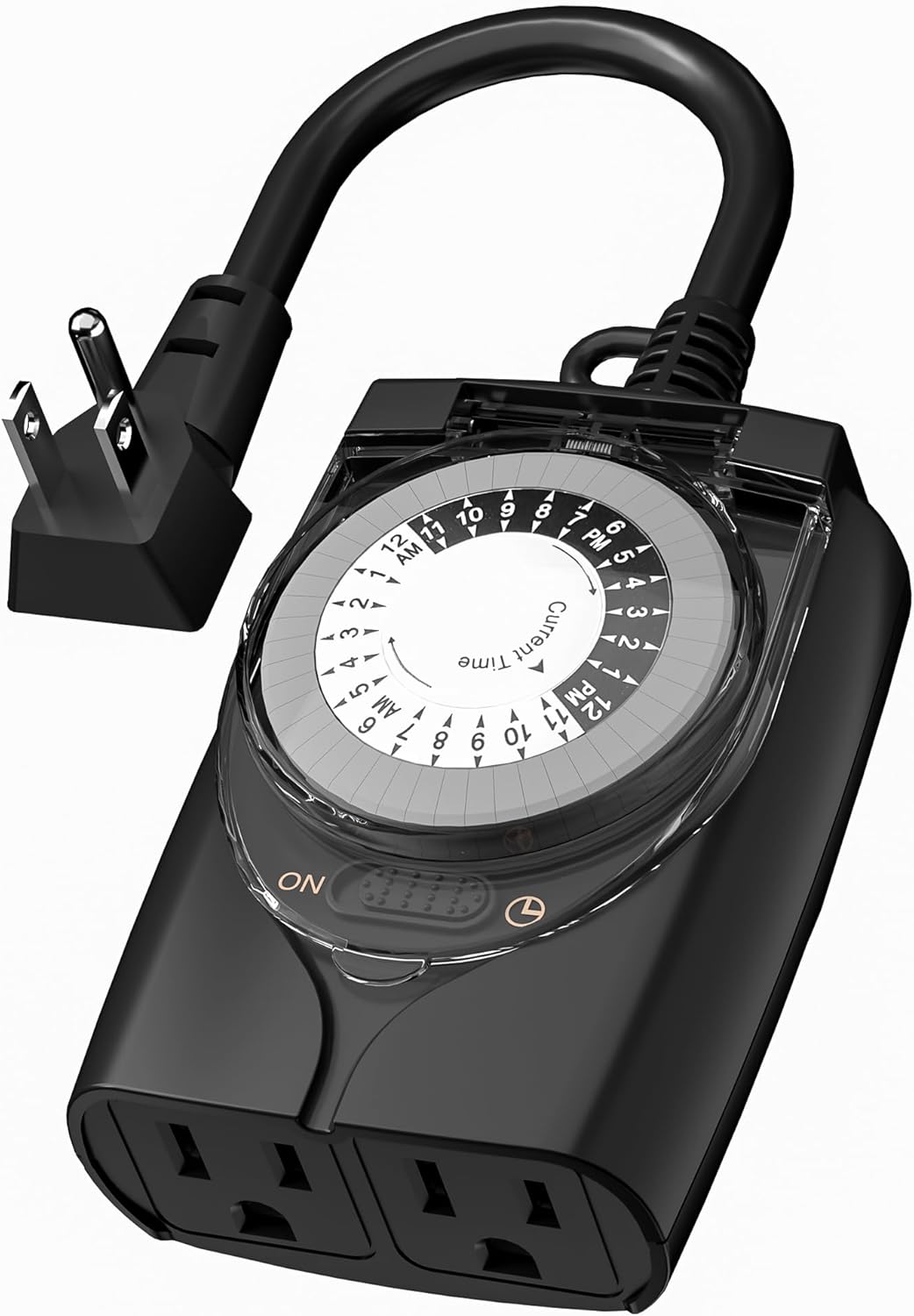
-23% HBN Waterproof Outdoor Timer Outlet - 24-Hour Mechanical Scheduler for Lights & Pumps

HBN Waterproof Outdoor Timer Outlet - 24-Hour Mechanical Scheduler for Lights & Pumps

★★★★★ 9.2
HBN ● In Stock ◷ Updated July 24, 2026
✓ Reliable mechanical operation, no batteries needed✓ Waterproof and UV-resistant construction✓ 24 daily on/off scheduling options
$ 12.99Save 23%
$ 9.99 Check on Amazon
Expand details

Detailed Review

Out of the box, this timer feels solidly built for the price. The heavy-duty plastic housing and transparent weatherproof cover give it a no-nonsense design. Unlike electronic timers, there are no batteries to worry about, no app to set up, and no internet connection required. The mechanical pin-and-dial system is straightforward once you understand that each pin represents a 30-minute block within a 24-hour cycle. The dual grounded outlets are convenient for connecting multiple devices or using extension cords without needing additional power strips.

In real-world outdoor use, the mechanical reliability becomes the main appeal. Since there are no electronics to fail, these timers tend to keep working year after year in wet, dusty, and sun-exposed conditions. The 15A rating and 1/2HP capacity handle standard outdoor applications well, from string lights and landscape lighting to smaller pool pumps and fountain motors. The transparent cover design allows you to visually confirm that the timer is engaged and see which pins are set without opening the weatherproof seal. For users with predictable scheduling needs, like turning holiday lights on at dusk and off at midnight every single day, this mechanical simplicity is genuinely valuable.

Compared to programmable digital timers, this product trades flexibility for reliability and simplicity. You won't get minute-level precision or the ability to set different schedules for weekdays versus weekends, but you also won't deal with settings being lost after power outages or struggling with confusing smartphone interfaces. The 24 on/off options mean your schedule is limited to 30-minute increments, which is coarser than many digital alternatives but perfectly adequate for most outdoor lighting scenarios. Long-term, mechanical timers often outlast battery-powered or purely electronic versions in harsh outdoor environments, justifying the operational trade-off.

This timer is best suited for people who prioritize durability and simplicity over advanced scheduling options. If you're setting up Christmas lights, permanent yard lighting on a consistent daily schedule, or a smaller outdoor appliance that runs on regular timing, this is a solid choice. Homeowners who want a set-and-forget solution without fussing with apps or worrying about battery replacement will find this particularly practical. The 1-year warranty and lifetime technical support through U.S. customer service offer reasonable peace of mind for the investment.

Proper Mounting for Optimal Weatherproofing

The effectiveness of this timer's waterproofing depends heavily on how you install it. The manufacturer specifies mounting vertically at least 2 feet above ground, which is not arbitrary advice. This height and orientation prevents standing water from pooling around the base and ensures that rain runs off rather than seeping into seams. Mounting it on the side of a building, garage, or post rather than in an open area also protects it from direct wind-driven rain and intense UV exposure from all angles.

When positioning the outlets themselves, consider how water will flow around the plugged cables. If possible, angle the connected cables slightly downward so water doesn't pool at the connection points. Ensure the transparent cover seals completely and check it periodically for debris or damage. In climates with harsh winters or frequent freezing, ensure the outlet isn't in a location where ice buildup from dripping water could become problematic. The transparent cover is convenient for checking settings, but keep it clean so you can see the dial clearly without opening it unnecessarily.

18
-23% BN-LINK Outdoor Dusk-to-Dawn Timer with Dual Outlets, Weatherproof 15A

BN-LINK Outdoor Dusk-to-Dawn Timer with Dual Outlets, Weatherproof 15A

★★★★☆ 8.6
BN-LINK ● In Stock ◷ Updated July 24, 2026
✓ Automatic dusk-to-dawn control✓ Dual grounded outlets✓ Weatherproof and durable
$ 12.99Save 23%
$ 9.99 Check on Amazon
Expand details

Detailed Review

Out of the box, this timer feels straightforward and compact. The dual-outlet design means you can plug in two separate light strings or decoration sets without daisy-chaining cords, and the weatherproof construction appears solid enough for outdoor exposure. The manual dial switch is intuitive: simply turn it to your chosen mode (dusk-to-dawn, or the 2-, 4-, 6-, or 8-hour timed options), and it's ready to work. There's no app, no batteries to manage, and no setup wizard to navigate.

In real-world use, the photocell sensor responds to natural light changes, making it practical for seasonal decorations without daily adjustment. The 15A capacity suits most standard string lights and similar outdoor decorative loads, though heavy-duty equipment or multiple high-wattage devices at once could exceed its rating. The timer reportedly restores its settings after power outages, which means you won't lose your configuration if the power cycles unexpectedly. The heavy-duty PPE material and fire-resistant construction suggest this timer is built to handle outdoor conditions for extended periods.

Compared to other outdoor timers in this price range, the dusk-to-dawn feature with manual timer fallback options covers most casual users' needs without requiring constant interaction or smartphone monitoring. The dual-outlet format eliminates the need for a power strip or surge protector in many setups, simplifying cord management around decorative areas. If you're comparing this to smart home alternatives, you're trading convenience for reliability—no WiFi requirements, no login troubles, and no dependency on cloud connectivity.

This timer works best for anyone who needs a reliable, set-it-and-forget-it solution for seasonal lighting. Homeowners decorating for holidays, gardeners running outdoor string lights, or anyone wanting to automate porch or pathway lighting without smart-home integration will find this practical and dependable. If you need precise scheduling, remote control, or to manage heavy commercial loads, look elsewhere, but for straightforward outdoor automation, this delivers solid value.

Proper Outdoor Installation and Weatherproofing

Installation height and orientation are critical to this timer's longevity. The specified 2-foot minimum height prevents accidental water pooling in the outlets from ground-level moisture or splashing. Always install the unit vertically (not horizontally) so water naturally drains away from the outlets rather than pooling inside. If your outdoor space has persistent dampness or heavy spray (near a pool area or hose line), position the timer further back or consider a weatherproof cover to shield the face dial from direct water impact.

Before the first season, check that both outlets are clear of debris and that the dial moves freely without resistance. Test the outlet by plugging in a simple light and observing the dusk-to-dawn cycle for an evening or two to confirm the photocell is responding appropriately to your location's light levels. If your outdoor area is very shaded or very bright relative to typical settings, you may need to adjust placement or accept slight variance in exact on-off times.

19
-23% Outdoor Christmas Light Timer with Dusk-to-Dawn Sensor, Waterproof 2-Pack

Outdoor Christmas Light Timer with Dusk-to-Dawn Sensor, Waterproof 2-Pack

★★★★☆ 8.6
TiFFCOFiO ● In Stock ◷ Updated July 24, 2026
✓ 11 timer function options✓ Waterproof design✓ Simple dial control
$ 25.99Save 23%
$ 19.99 Check on Amazon
Expand details

Detailed Review

The timer arrives as a straightforward rectangle with a prominent dial on the front and two grounded outlets on the right side. The flat plug design keeps it relatively slim when inserted into an outlet, though the physical footprint does take up both outlets on a standard duplex. Build quality feels solid; the plastic housing is reinforced and the dial mechanism engages with clear, deliberate clicks as you rotate through the 11 settings. There's no LCD screen or LED display to read, which simplifies the design but means you rely entirely on the labeled dial positions to confirm your selection.

In practice, the photocell sensor responds well to natural light transitions. Setting it to dusk-to-dawn mode means your Christmas lights turn on automatically when twilight arrives and shut off at dawn, eliminating the need to manually adjust timings as seasons change. The countdown functions work as advertised, letting you set the timer to turn lights on at dusk and off after a fixed period (2, 4, 5, 6, 7, 8, 9, or 10 hours). The weatherproof construction holds up to rain and temperature swings, though the manufacturer specifically recommends vertical mounting at least 2 feet above ground to maximize protection. The dial doesn't require any programming, which is refreshing compared to timers that demand button sequences and digital configuration.

Compared to basic manual timers, this model eliminates daily switching chores and works reliably in most climates. Against more expensive smart home alternatives, it sacrifices remote control and app scheduling but trades that for lower cost, no WiFi dependency, and no subscription fees. The two-outlet design per unit effectively doubles the coverage if you have multiple light strings or decorations to manage. The 15-amp capacity is sufficient for typical Christmas light loads but won't work for high-draw devices like space heaters or power tools.

This timer is ideal for homeowners who decorate seasonally with outdoor lights and want a cheap, durable, set-it-and-forget-it solution. It handles the job without overthinking it. If you need precise scheduling down to the minute, integration with smart home systems, or flexibility to control the device remotely, you'll outgrow this product. But if festive lighting automation at minimal cost and zero learning curve is your goal, this 2-pack delivers genuine daily convenience.

Installation and Placement Guidelines

The manufacturer's recommendation to mount the timer vertically at least 2 feet above ground isn't arbitrary. Horizontal mounting or low placement can trap moisture in seams and compromise the waterproof seal over time. Additionally, the photocell sensor needs unobstructed exposure to natural light; mounting it near the ground or under an eave will reduce sensor response and make dusk-to-dawn mode unreliable. Ideally, position the timer on an exterior outlet or use an outdoor-rated extension cord to keep it in an open area.

Since most outdoor receptacles are ground-level on garden walls or already at eaves, you may need to use a weatherproof extension cord or relocate your lights to an elevated outlet to satisfy the mounting requirement. Plan the placement before plugging in your lights, as moving the timer repeatedly creates wear on the contacts and increases the risk of moisture ingress. Keep the dial accessible so you can adjust settings if needed without disassembling the installation.

20
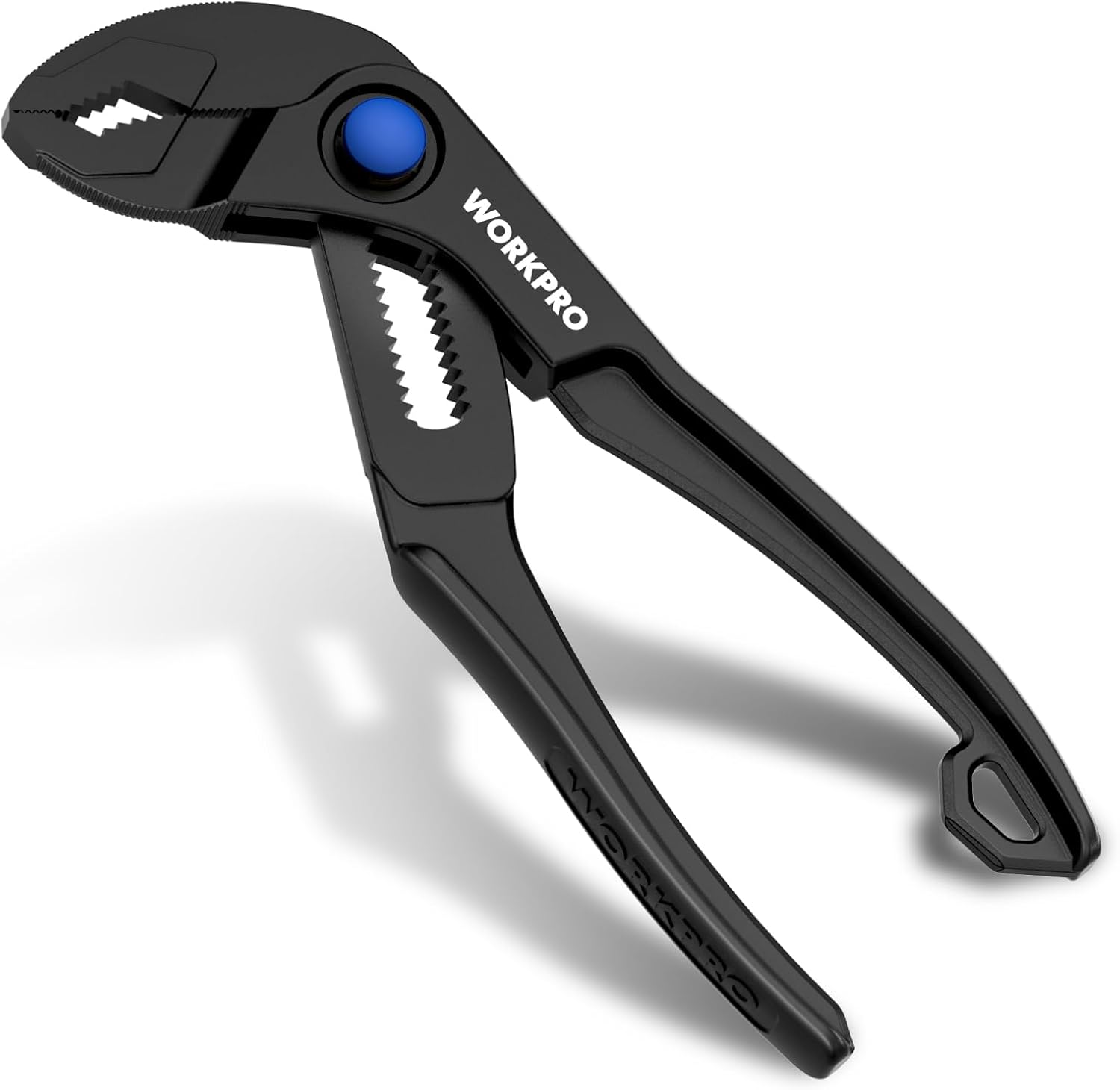
-21% WORKPRO 4-Inch Mini Water Pump Pliers, Adjustable Groove Joint Pliers for Tight Spaces

WORKPRO 4-Inch Mini Water Pump Pliers, Adjustable Groove Joint Pliers for Tight Spaces

★★★★★ 9.2
WORKPRO ● In Stock ◷ Updated July 25, 2026
✓ Ideal for tight, confined spaces✓ 15-position adjustable jaw system✓ Secure multi-surface V-jaw grip
$ 17.99Save 21%
$ 14.24 Check on Amazon
Expand details

Detailed Review

This mini plier arrives as a genuinely compact tool that fits comfortably in a palm or tool pouch. The slim head design lives up to its promise of fitting into tight spaces where standard pliers simply won't reach. The heat-treated steel with black phosphate finish feels substantial for its size, and the grooved handle provides decent purchase even when hands are slightly damp. The push-lock adjustment mechanism operates smoothly, letting you shift between the 15 jaw positions without fumbling.

In actual use, the V-jaw design proves practical for gripping various object shapes. The multi-point contact means the tool won't easily slip on round pipes, flat nuts, or hex bolts. The corrosion-resistant finish holds up reasonably well under typical household and light automotive conditions. However, you'll notice the tool's small frame limits how much force you can comfortably apply. It's built for precision and access rather than heavy load-bearing, so tasks requiring significant leverage reveal its limitations quickly.

Compared to full-size water pump pliers, this version trades power for portability and reach. If your work happens under sinks, inside engine bays, or in other confined areas where larger tools create awkward angles, the size advantage becomes immediately valuable. Compared to other mini pliers at this price point, the 15-position adjustment offers more versatility than some competitors, and the V-jaw design is more effective across different fastener types than simple slip-joint alternatives. The hanging hole adds minimal convenience for storage and organization.

This tool makes sense for people who need to solve occasional plumbing leaks, adjust automotive components in tight quarters, or carry a backup plier without adding significant weight to a toolbag. It's less suitable for anyone expecting to tackle heavy-duty gripping tasks regularly, and it shouldn't replace a full-size plier in a serious professional's kit. For the specific role of a pocket-sized problem-solver, it delivers genuine utility.

Maintenance and Storage Tips

The black phosphate finish provides solid protection against rust, but like any steel tool, occasional maintenance extends its life. If you use this plier in damp environments like under kitchens sinks or in garages, wipe it dry after use and store it in a ventilated space rather than sealed. The grooved handle accumulates dirt over time, so a quick rinse with water and a dry cloth keeps it functional and hygienic.

The built-in hanging hole lets you store this plier vertically on a pegboard or wall mount, which prevents the jaws from resting on workbench surfaces where they could corrode. For everyday-carry scenarios, a small toolbag pocket or dedicated pouch keeps the business end protected and prevents the tool from snagging on other items. Since the plier is lightweight and compact, it won't add noticeable bulk to most portable kits or backpacks.

21
-20% ARROW 10-Inch Water Pump Pliers with 18-Position Quick Adjust and V-Jaw Grip

ARROW 10-Inch Water Pump Pliers with 18-Position Quick Adjust and V-Jaw Grip

★★★★☆ 8.4
ArrowToolGroup ● In Stock ◷ Updated July 25, 2026
✓ 18-position quick adjustment✓ Serrated V-jaw strong grip✓ Heat-treated CR-V steel durability
$ 19.99Save 20%
$ 15.99 Check on Amazon
Expand details

Detailed Review

The ARROW water pump pliers feel solid in hand right out of the box. The dipped handle has a comfortable grip texture that doesn't feel cheap or thin, and the 10-inch length strikes a reasonable balance between leverage and maneuverability in tight spaces. The heat-treated CR-V steel body has a professional finish, and there's no visible flex or play in the joint when you first test it. The V-jaw design is immediately noticeable, with clearly serrated ridges that catch and hold round objects without requiring excessive hand pressure.

In actual use, the 18 adjustment positions prove genuinely useful for the mix of tasks these pliers are meant to handle. Moving through pipe diameters from half-inch to larger sizes happens smoothly, and the quick-release mechanism responds consistently. The serrated V-jaws deliver reliable grip on round pipes and also handle hex nuts and square bolts without slipping during tightening work. The anti-slip coating on the handle reduces hand fatigue during longer sessions, which matters when you're holding steady pressure on a stubborn fitting. The tool doesn't feel fatiguing even after repeated adjustments and gripping.

Compared to other adjustable pliers in this price category, the 18 positions and V-jaw combination give this tool an edge in versatility. Simpler groove joint pliers with fewer adjustment slots force you to work with a less-than-ideal jaw opening, while premium brands often carry significantly higher costs for marginal upgrades. This ARROW model lands in a practical middle ground, offering enough precision adjustment and grip strength for serious home and automotive work without the expense of commercial-grade tools. The CR-V steel construction suggests this is meant to last beyond casual occasional use.

This is the right tool for anyone who tackles plumbing repairs, automotive maintenance, or general household fixes more than once or twice a year. Professionals and contractors who depend on their tools daily might want something heavier-duty, but for homeowners, this handles the common tasks cleanly and reliably. If your projects regularly involve adjustable clamping and gripping work but you don't have the budget for premium tier equipment, this plier justifies the investment.

Jaw Positioning and Grip Optimization

The 18 positions on these pliers give you significant control, but maximizing grip strength requires matching the jaw opening to your workpiece size. For round pipes, position the jaws so they contact the pipe perpendicular to its sides rather than at too-wide an angle; this concentrates the serrated teeth where they matter most. For hex nuts and bolts, choose a jaw opening that leaves minimal gap between the jaw faces and the fastener corners, which prevents wobbling and reduces slippage during turning.

When switching between tasks, take a moment to slide the adjustor to the next position slowly rather than forcing it. The groove joint mechanism on these pliers works best with deliberate movement; jamming the adjustment typically means you've skipped a notch and the tool won't hold its position under load. Test the grip on the actual workpiece before you apply full pressure, especially when working with softer materials like copper pipe fittings where over-clamping can cause permanent damage.

22
-20% WORKPRO 12" Adjustable Oil Filter Pliers with Bent Head Design

WORKPRO 12" Adjustable Oil Filter Pliers with Bent Head Design

★★★★★ 9.2
WORKPRO ● In Stock ◷ Updated July 25, 2026
✓ Fits filters 2-3/8 to 4-1/2 inches✓ Bent head design for tight spaces✓ High carbon steel durability
$ 14.98Save 20%
$ 11.99 Check on Amazon
Expand details

Detailed Review

When this tool first arrived, its compact heft and straightforward design were reassuring. The high carbon steel body feels substantial without being unwieldy, and the bent head is immediately noticeable, tilted at an angle specifically to reach filters tucked against engine walls and ancillary components. The red soft grip wraps around most of the handle, providing traction even with oily hands, which matters when working in cramped engine bays where your grip is your only leverage.

Using it on actual filters proved the design works as intended. The adjustable jaw mechanism grips filter canisters securely once tightened, and the Permalock fastener holds without backing off mid-turn, a practical detail that prevents dropped tools or stripped filters during removal. The 12-inch length gives meaningful reach beyond what your knuckles can access with bare hands, and the bent head genuinely makes a difference when the filter sits in a confined corner. Success depends on getting the jaw positioned squarely around the filter's circumference and applying steady rotational pressure, but these are normal constraints for any adjustable wrench-style tool.

Compared to cartridge-style filter wrenches that fit only specific models, this adjustable approach trades some grip precision for versatility. It handles the widest range among simple universal tools, eliminating the need to stock multiple dedicated wrenches for different vehicles. The construction quality is solid for the price point, and the high carbon steel resists corrosion better than softer alloys, which extends its usable life in a garage or toolbox.

This tool makes the most sense for hobbyists or technicians who service a variety of vehicles with different filter sizes, or for anyone who changes their own oil regularly and wants one reliable tool rather than several. It won't fit cartridge-style filters or work on square fittings, so check your specific filter type first. For straightforward spin-on filter removal on personal vehicles or light fleet maintenance, this delivers reasonable durability and functionality at a low cost.

Proper Grip and Positioning Technique

The effectiveness of this tool depends heavily on how you position and grip it. Before tightening the adjustable jaw, confirm that it sits flush around the filter's full circumference. A jaw that makes contact at only one or two points will slip or strip the filter's housing. Rotate the adjustment knob until snug, then apply firm steady pressure outward on the handle to crack the filter loose, rather than sudden jerking motions that can cause slippage.

The bent head design is most useful when the filter sits horizontally or at an angle; for filters mounted vertically with nothing above them, the bent angle matters less. Position your body so you can apply leverage along the natural arc of the tool rather than fighting against the bend. In very tight spaces where only a few inches of clearance exist, the handle length becomes your main asset, so use the full reach of the tool to your advantage.

23
-18% Roomba 105X Robot Vacuum with LiDAR Mapping and Smart App Control

Roomba 105X Robot Vacuum with LiDAR Mapping and Smart App Control

★★★★☆ 8.4
● In Stock ◷ Updated July 24, 2026
✓ LiDAR mapping for efficient rows✓ 70X more suction power✓ Auto-dock and resume cleaning
$ 249.99Save 18%
$ 204.99 Check on Amazon
Expand details

Detailed Review

The Roomba 105X arrives ready to integrate into a household routine with minimal fuss. The 3-stage cleaning system combines strong suction with dual brushes designed to capture debris along edges and corners where pet hair typically accumulates. Its compact, modern design fits naturally into most home layouts without drawing attention, and the reliable Wi-Fi setup process takes only minutes to complete so you can schedule your first cleaning the same day.

In practice, the LiDAR mapping system learns your home's floor plan and cleans in organized rows rather than the random paths older robotic vacuums use, which translates to more consistent coverage and fewer missed areas. The 70X power-lifting suction advantage over the Roomba 600 series means embedded dust, dander, and pet hair lift more effectively from both carpets and hard floors. The robot avoids obstacles, furniture, and stairs thanks to specialized sensors, and it returns to its dock automatically when the battery runs low, then resumes exactly where it stopped to finish the job without your intervention.

The Roomba Home App gives you genuine control over cleaning patterns, allowing you to schedule automatic runs during school hours, focus extra passes on high-traffic kitchens and entryways, or activate Spot Cleaning for quick messes. Voice assistant integration works seamlessly for hands-free operation, and you can also trigger cleaning directly from the robot's onboard buttons. Compared to older robot vacuums or purely random-path models, the combination of LiDAR navigation, suction power, and app customization delivers more predictable, thorough cleaning that adapts to your family's rhythm.

The Roomba 105X suits households where daily automated cleaning is a priority but where you're not prepared to invest in premium models. It excels for pet owners and families with young kids whose living spaces accumulate crumbs and shed hair between deeper manual cleanings. If your home has multiple rooms or frequent changes in cleaning priorities, the room-by-room customization and reliable app make this model a practical upgrade over manual vacuuming or less intelligent robot options.

Maintaining Peak Suction and Brush Performance

The 3-stage cleaning system's effectiveness depends on regular maintenance. Both the multi-surface brush and edge-sweeping brush accumulate pet hair and fibers, so inspect and clean them weekly, especially in high-shedding households. The Roomba Home App tracks filter life and alerts you when replacement is needed; follow those notifications to avoid suction drops over time.

The LiDAR sensor on top of the unit requires occasional wiping to function optimally and maintain accurate room mapping. If the robot begins missing rooms or cleaning in irregular patterns after months of use, a quick lens cleaning often restores precise navigation. Keep the charging dock positioned on a hard, level floor away from obstacles to ensure reliable docking and consistent battery maintenance between cleaning cycles.

24
-17% Shark Navigator RV2110 Robot Vacuum with SmartPath Lidar Navigation

Shark Navigator RV2110 Robot Vacuum with SmartPath Lidar Navigation

★★★★☆ 8.0
● In Stock ◷ Updated July 24, 2026
✓ Efficient row-by-row mapping✓ Anti-hair wrap brushroll✓ 120-minute runtime
$ 299.99Save 17%
$ 249.00 Check on Amazon
Expand details

Detailed Review

The Shark Navigator arrives ready to operate with minimal setup required. The unit feels solidly constructed for its price point and the matte steel grey finish blends into most home environments. The design is compact enough to navigate under furniture, and the included pair of side brushes slots into place straightforwardly. Out of the box, the robot connects to the app without excessive faffing, and the control interface presents options for scheduled cleaning, spot cleaning, and room-specific runs alongside standard voice commands.

In practice, the SmartPath navigation system delivers tangible benefits over bounce pattern vacuums. Rather than haphazardly roaming your floor, the liDAR sensor maps your space and executes an organized grid approach, which translates to fewer missed spots and more predictable coverage. The 50 percent suction increase versus typical competitors does register on both carpet and hard floors, pulling up visible debris and pet hair noticeably well. The self-cleaning brushroll genuinely engages on hard surfaces where many robot vacuums falter, though the anti-hair wrap feature matters most in households with long-haired pets or frequent shedding. Runtime extends to two hours under optimal conditions, and the recharge-and-resume function means the robot restarts cleaning after battery recovery rather than leaving the job half finished.

Compared to traditional robot vacuums in this price bracket, the Shark Navigator occupies a middle ground. The liDAR mapping is more purposeful than random navigation yet less sophisticated than premium models with room-specific restrictions and multi-floor mapping. The object detection works but occasionally misidentifies items or bumps into obstacles despite the feature, so homes with excessive floor clutter still benefit from preliminary tidying. The 0.52-quart bin is genuinely small and requires emptying after most full-home cleaning cycles, which offsets some of the convenience of autonomous operation. Weighed against similar-priced competitors without mapping, this model offers clear advantages; against higher-end options, the tradeoffs in bin size, mapping sophistication, and overall polish become clearer.

This robot suits owners who want genuine navigation improvement over random patterns without premium pricing, particularly those with medium pet hair and mixed flooring who accept occasional maintenance intervals. It works best in homes where floor space stays reasonably clear and daily or twice-weekly schedules work with its bin capacity. If you prioritize hands-off operation above all else or have extensive area rugs and permanent obstacles, larger-bin or more advanced models may frustrate you less.

Brushroll Maintenance and Hair Management

The self-cleaning brushroll is effective but not fully automatic. While the anti-hair wrap design prevents tangles significantly better than standard brushes, you should still inspect the brush monthly and manually remove any stubborn wrapped fibers, particularly in households with long-haired pets. This takes about two minutes with a comb or cleaning tool and extends the brushroll lifespan considerably.

The small bin size means you'll empty it more frequently than larger models, but this presents a minor advantage for pet hair management. More frequent emptying prevents the bin from becoming compacted with hair, which can reduce suction over time. Empty before each full-home cleaning session for best performance, and rinse the filter weekly if you have shedding pets, as hair accumulation on the filter degrades suction faster than the bin alone fills.